

Overview
The Submission History (Status Timeline) helps you understand what happened to a specific registration version of a Basic UDI-DI or Device. It is available inside the Details modal and provides a clear timeline of the submission lifecycle — including technical handover to the authority, the authority’s response, and the final publication status.Where to find it
- Open UDI Management.
- Open the Details modal of a Basic UDI-DI or a Device.
- Select the tab Submission Status.
- Use the Version dropdown (top right) to switch between registration versions and see the corresponding submission history for each version.
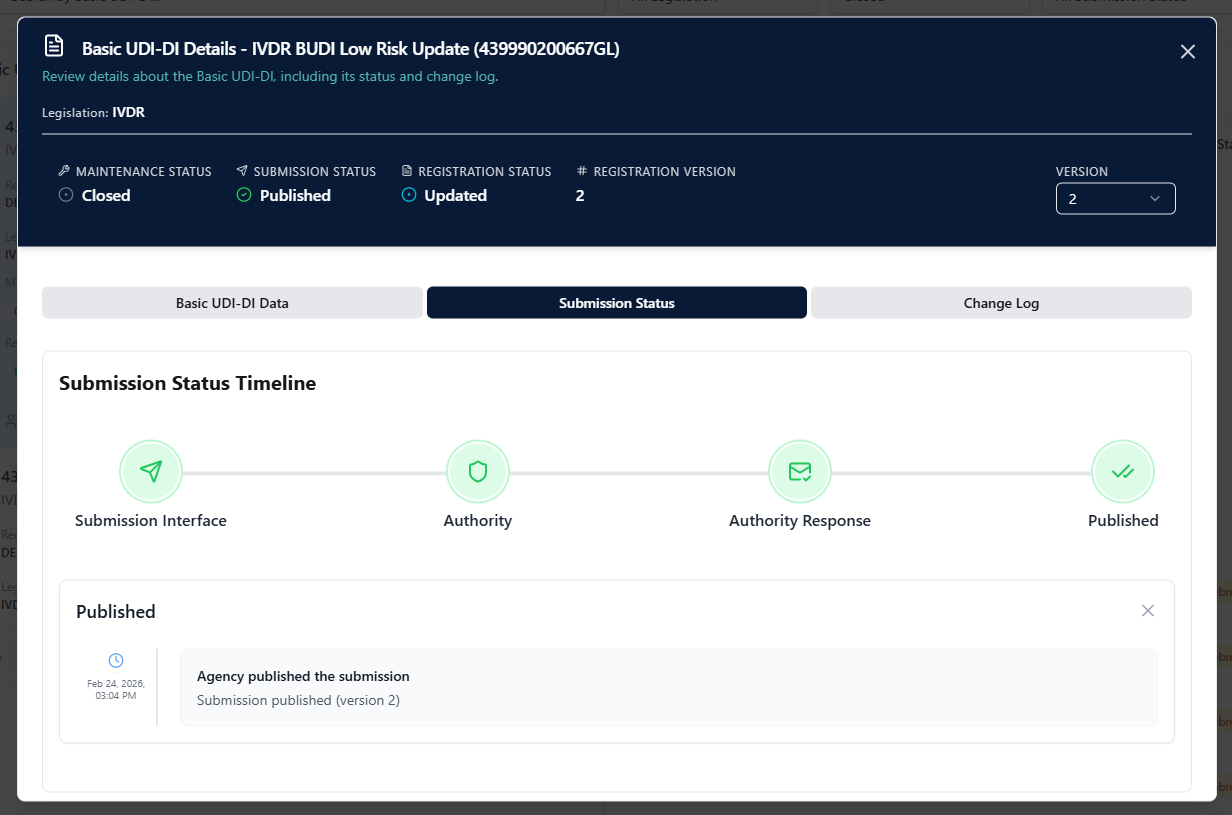
How to read the timeline
The timeline is divided into four stages:Successful flow example
In a successful case, all stages are completed and Published is reached.Error / rejection example
If the authority rejects the submission, the timeline stops at Authority Response and shows the error details provided by the authority.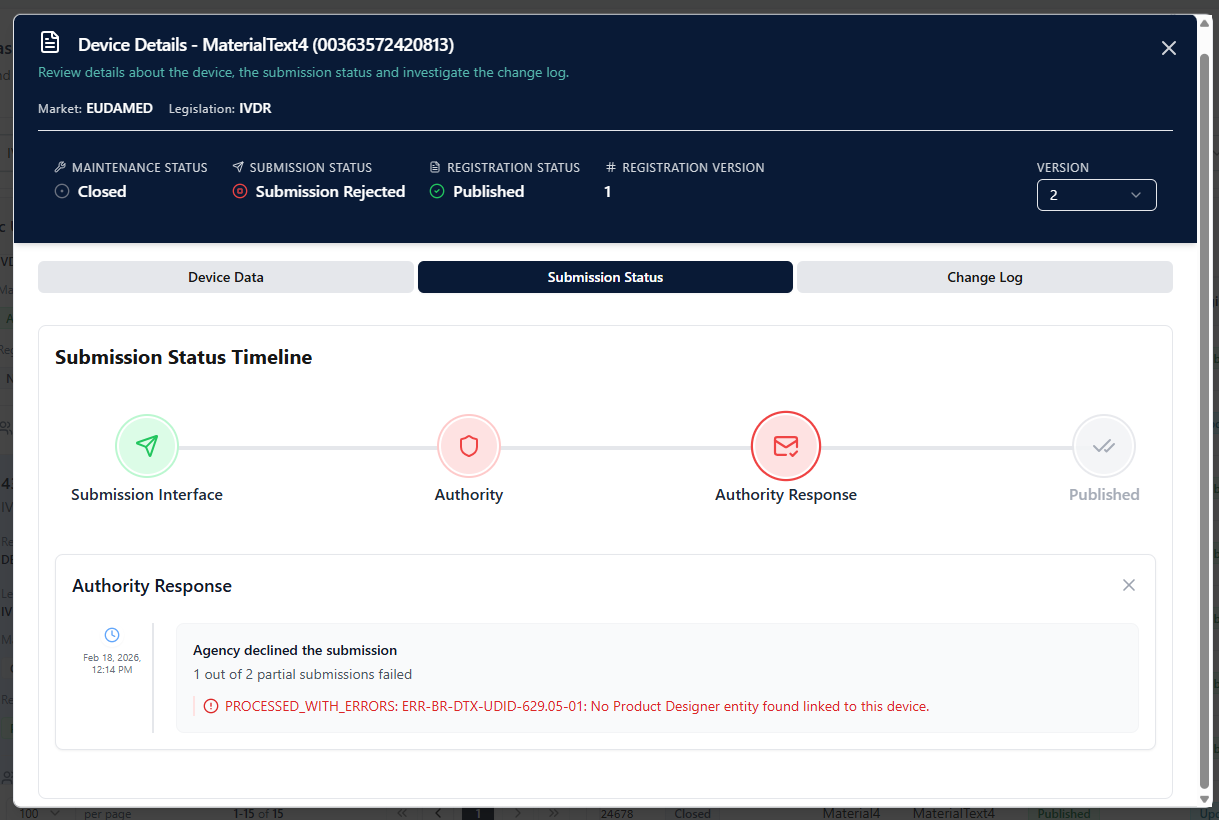
Tip
Use the Version selector to compare what changed between submissions (e.g., Version 1 initial registration vs. Version 2 update) and to identify exactly where a submission failed (UDI Hub processing vs. authority response).