

Overview
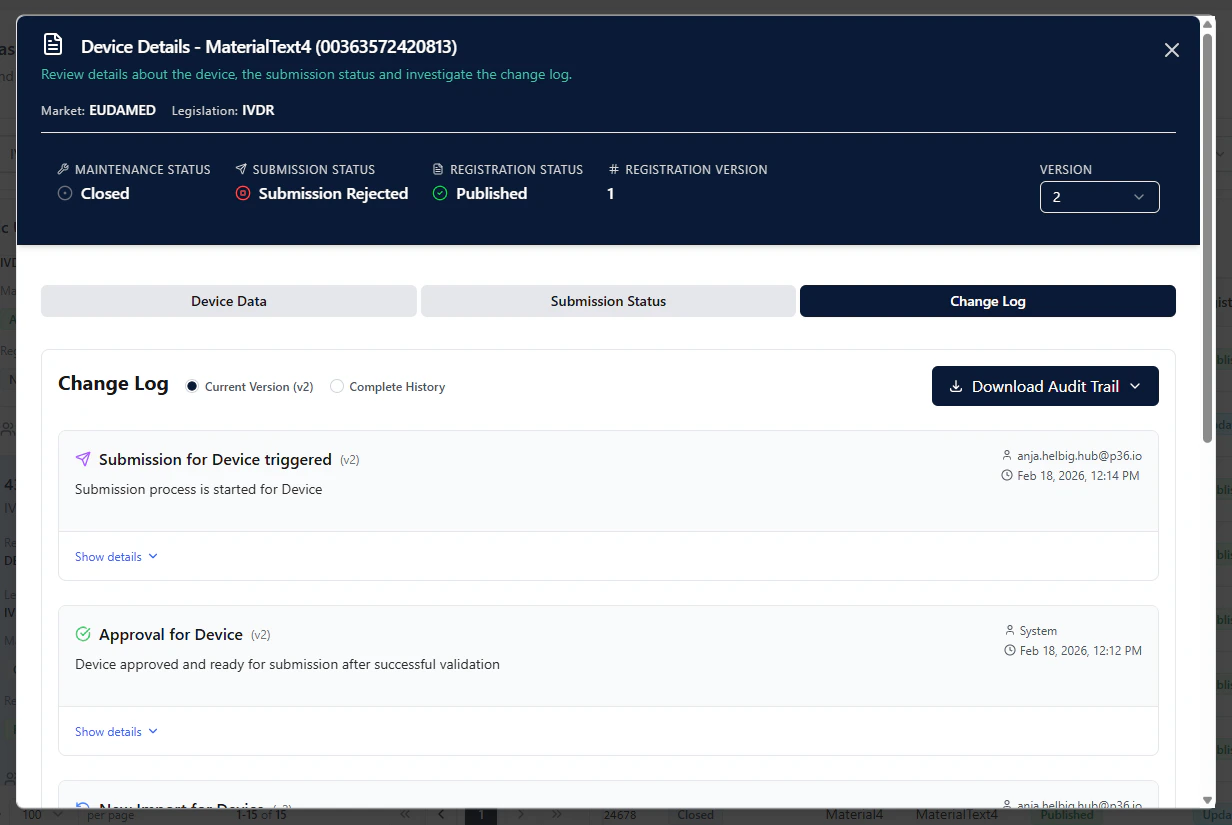
The Change Log provides a complete audit-friendly history of actions and status changes for a Basic UDI-DI or Device in UDI Hub. It helps you answer:- Who performed an action (user or system)
- What happened (Upload / Import / Submit, approvals, validations, status changes)
- When it happened (timestamp)
- Whether validation was successful or not successful
- How the history differs between versions (e.g., initial registration vs. updates)
Where to find it
- Open UDI Management
- Open the Details modal of a Basic UDI-DI or Device
- Go to the Change Log tab
Version-specific view vs. complete history
In the Change Log you can switch between:- Current Version (vX) — shows changes related to the currently selected version
- Complete History — shows the full history across all versions
- Version 1 (initial registration), versus
- later versions (updates / follow-ups)
What you will see in the log
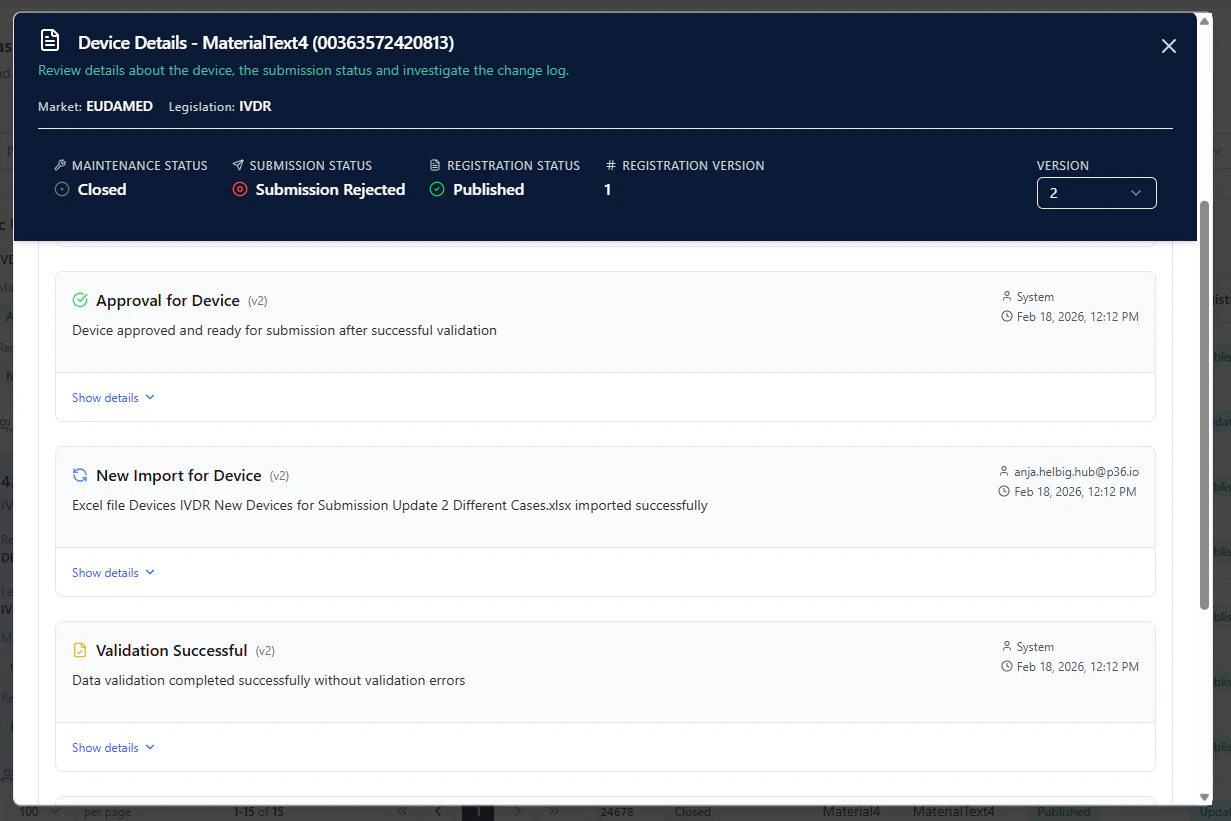
Each log entry typically includes:- an event title (e.g., New Import for Device, Submission triggered, Approval for Device)
- the actor
- a user (when triggered manually, e.g., import or submission)
- System (when statuses are set automatically in the background)
- a timestamp
- optional details you can expand via Show details
- Upload: file upload activity that leads into validation
- Import: import actions
- Submit: a submission being triggered for a Basic UDI-DI or Device
- Validation: e.g., Validation Successful or validation failures
- System status updates: e.g., approvals set after successful import
Export an Audit Trail (PDF)
For audits and internal documentation, you can export the audit trail as a PDF:- Open the Change Log tab
- Click Download Audit Trail
- Choose the required export option (e.g., for the current version or complete history, depending on your configuration)
Tip
Use Current Version when you want to explain or troubleshoot a single submission/update cycle.
Use Complete History to provide a full audit trail across initial registration and all updates.
Use Complete History to provide a full audit trail across initial registration and all updates.