

Overview
The Details modal shows a consolidated, read-only view of a Basic UDI-DI or Device record in UDI Hub.It is mainly used to review the data snapshot per registration version and the current status indicators.
Open the modal
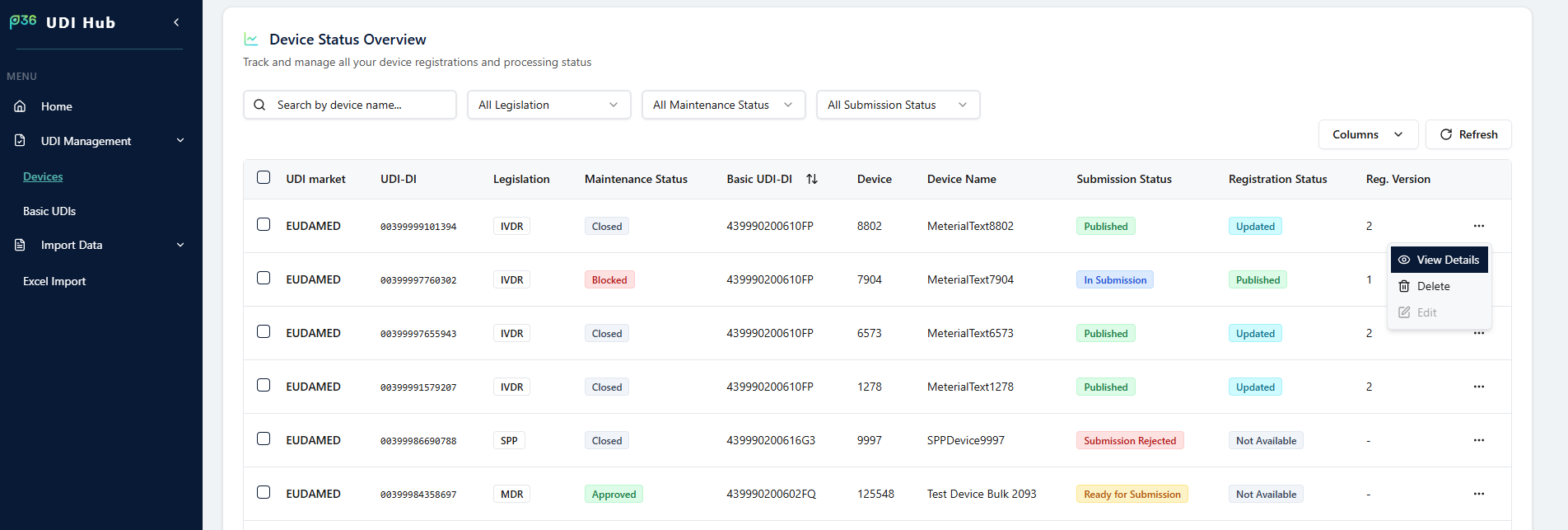
Devices
In UDI Management → Devices:- Open the row actions menu (⋯)
- Click View Details
Basic UDI-DIs
In UDI Management → Basic UDIs, open details via the eye icon on the Basic UDI-DI card.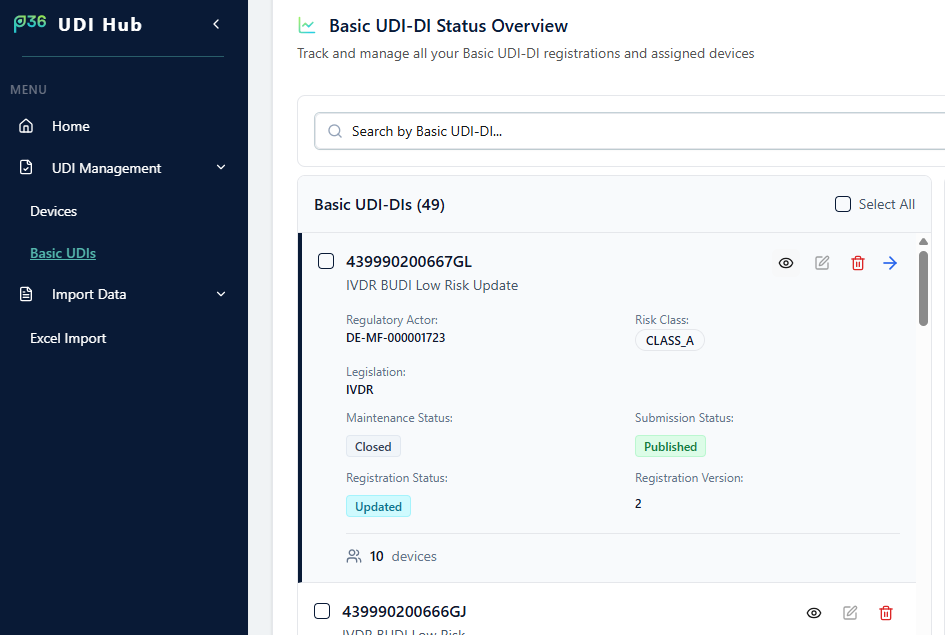
What you can do
- See key indicators: Maintenance Status, Submission Status, Registration Status, Registration Version
- Use the Version dropdown (top right) to switch versions
- On Device Data, review the version-specific values stored in UDI Hub (snapshot for that version)
Note
The Submission Status and Change Log tabs are explained in separate handbook entries.