

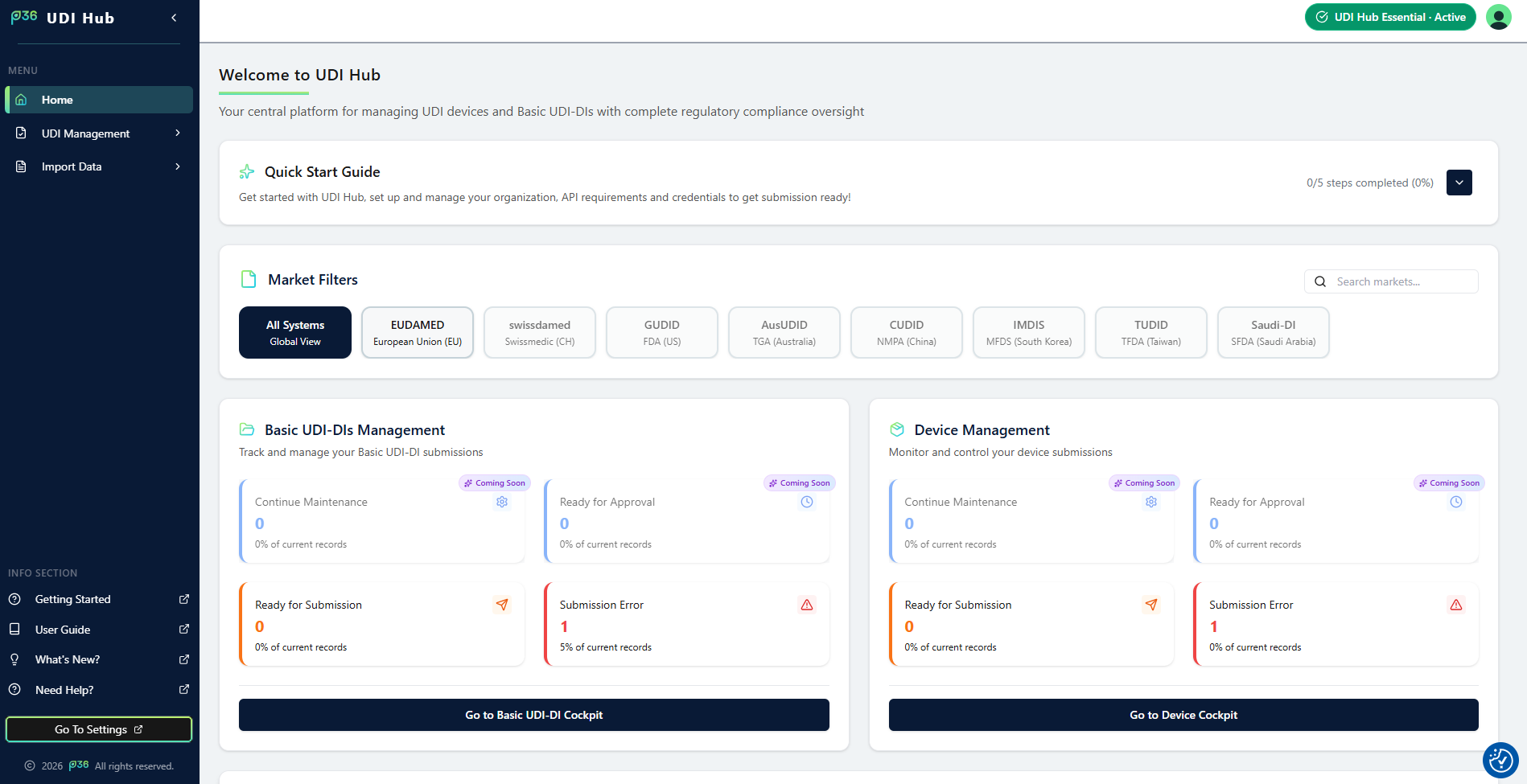
It gives you instant access to your most important actions, system KPIs, and regulatory insights — all from one dashboard.
Quick Start Guide
Get started quickly by following the embedded Quick Start Guide section.Here you can easily revisit onboarding steps, manage your organization, and set up your environment for submissions.
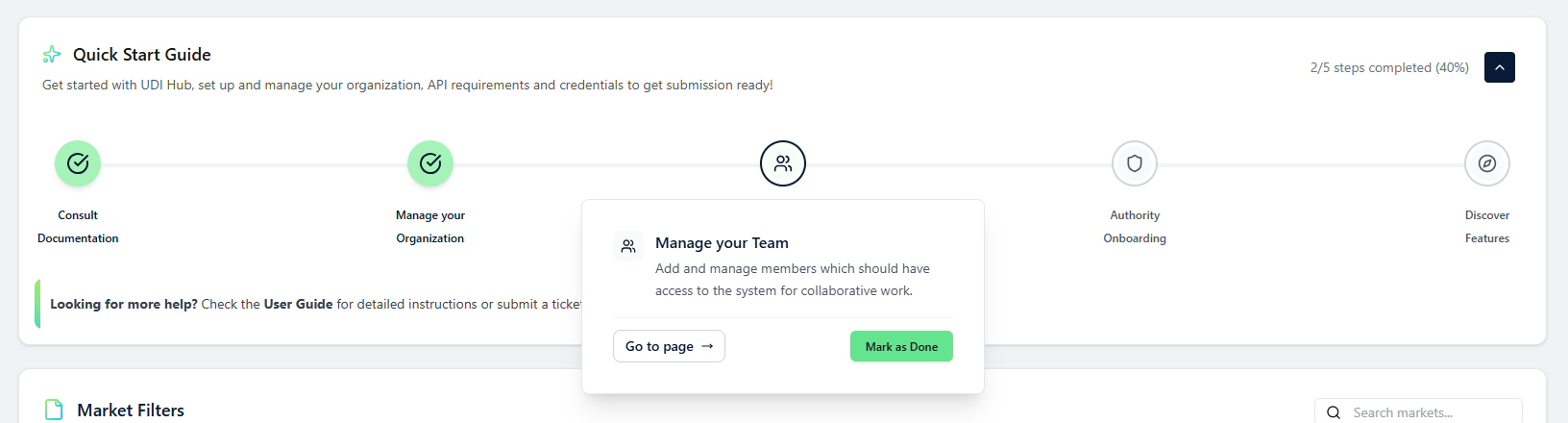
Open the Quick Start Guide
Access a guided overview of all essential setup steps in UDI Hub.
KPI Overview & To‑Do Cards
Stay on top of your operational priorities with intuitive KPI‑Cards displayed directly on the Home Side.- Ready for Submission — See how many validated data records are prepared and ready to be submitted to the authority.
- Submission Errors — Instantly identify submissions that require attention.
Compliance Map
Visualize the current global state of UDI implementation with the interactive Compliance Map.It highlights countries where UDI regulations are already mandatory, active, or under discussion – giving you an instant picture of market coverage and upcoming regulatory changes.
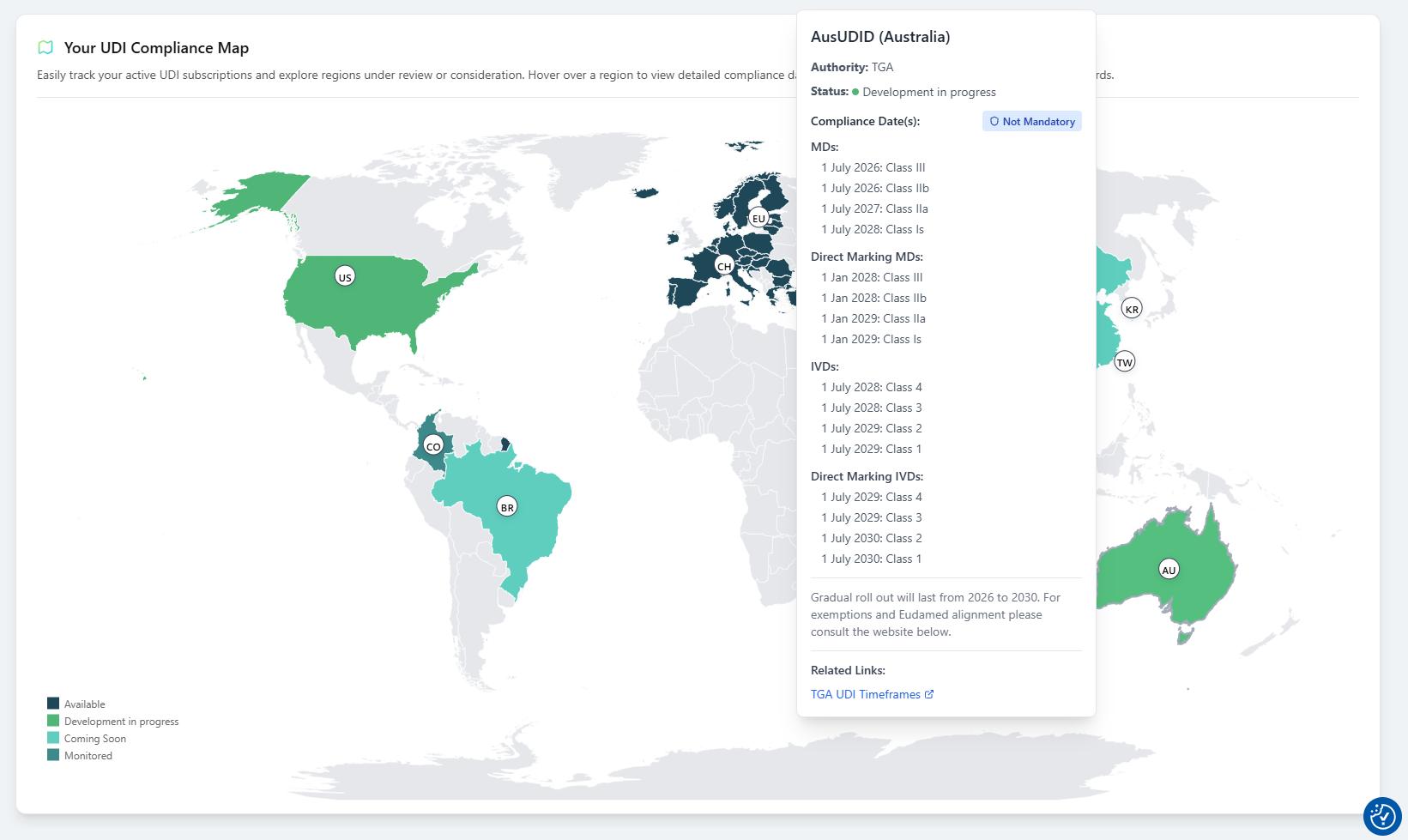
Tip: Use the Compliance Map to strategically plan ahead for new authority integrations and market expansions.
The Home Side brings your most essential information together – guiding your daily actions and helping you stay organized, efficient, and compliant within UDI Hub.