

Overview
The EUDAMED Test Submission automates the submission test process to simplify onboarding.Once the key data — SRN, Role, Regulatory Actor, and Security Token — are available, the system can execute a background test submission using a predefined payload.
This minimizes manual effort and ensures that the required Proof of Testing is automatically generated.
1
Add Economic Operator
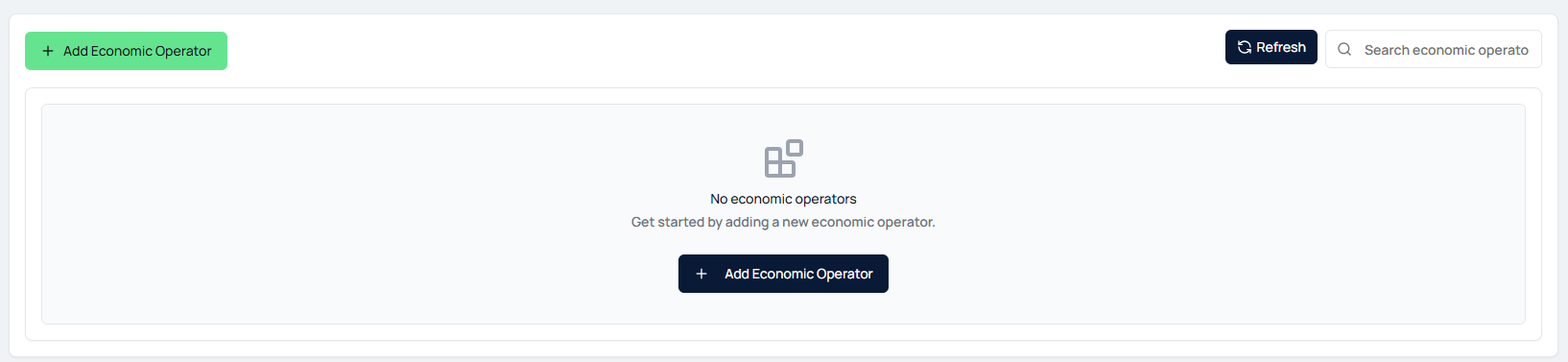
- Start by navigating to the EUDAMED Test Submission section.
- If no economic operators are available yet, click Add Economic Operator to create a new entry.
2
Enter Actor Details
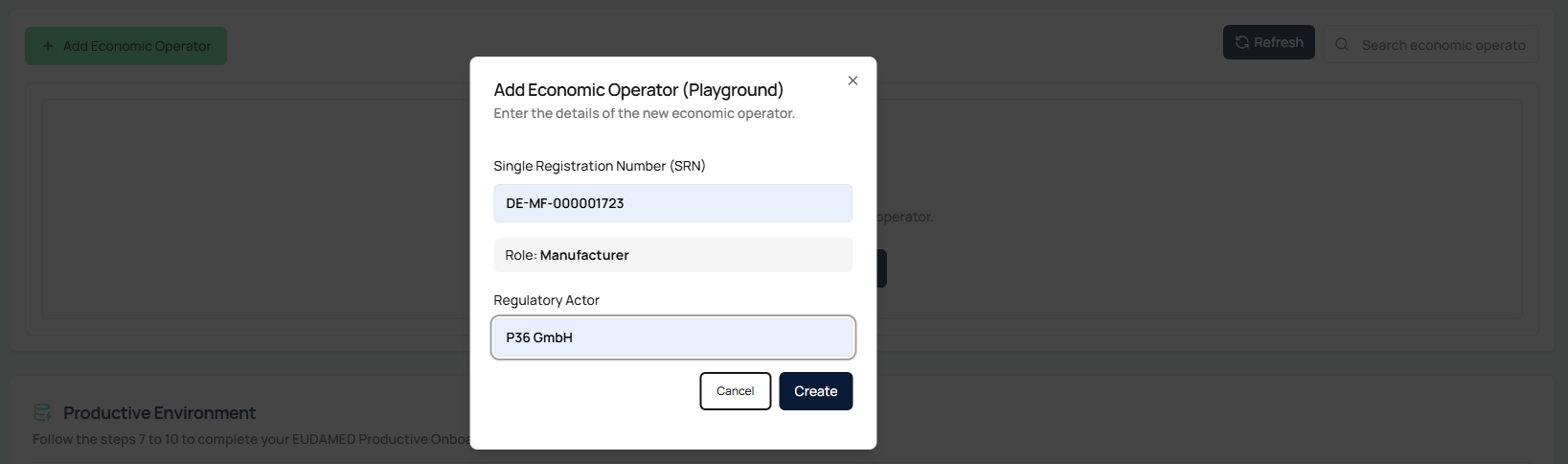
- In the pop-up window, provide the following:
- Single Registration Number (SRN)
- Role (e.g., Manufacturer, System and Procedure Pack Producer)
- Regulatory Actor Name
- Ensure that all information matches the data registered in EUDAMED.
3
Add Authorized Representative (if applicable)
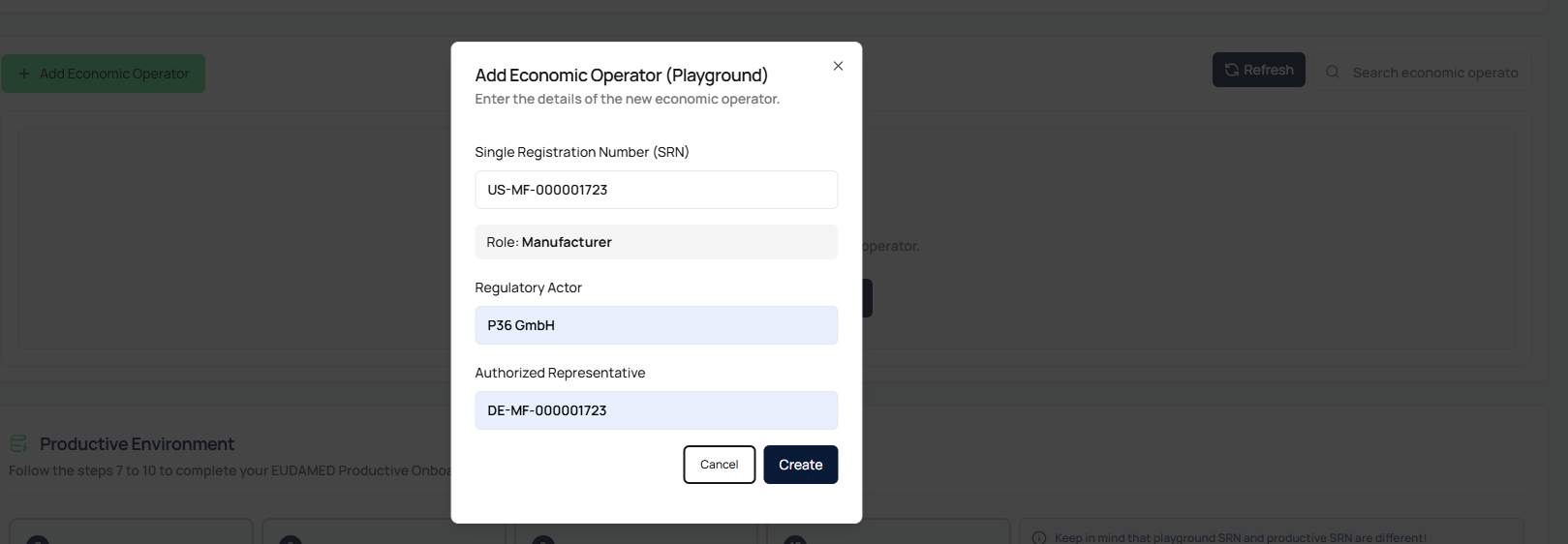
- When adding an actor outside the EU, an additional field for Authorized Representative will appear automatically.
- Enter the SRN of the EU-based Authorized Representative.
- This information is mandatory for non-EU operators.
4
Provide Security Token
- After successfully adding the actor, a table entry will appear.
- Paste the EUDAMED Playground Security Token for the corresponding SRN into the designated field.
- The token is securely stored in the background and not visible afterwards.

5
Execute Test Submission
- Once the token is entered, the Test Submission button becomes active.
- Click the button to start the automatic submission.
- The button will display:
- Submission in Progress while running
- Successful (green) once the process completes successfully

6
Download Proof of Testing
- After a successful test submission, the system will automatically generate a Proof of Testing document.
- You can download this document directly from the interface.
- It serves as a prerequisite for configuring the access point in the Productive EUDAMED environment.

7
Handle Errors and Re-run
- If a submission fails, you can correct the SRN or Security Token in the Actions menu.
- After updating the details, restart the test submission process.