> ## Documentation Index
> Fetch the complete documentation index at: https://docs.udiconnect.io/llms.txt
> Use this file to discover all available pages before exploring further.
# Submission History Timeline
> Track the submission progress per registration version, from UDI Hub processing to authority handover, authority response, and publication.
## Overview
The **Submission History** (Status Timeline) helps you understand what happened to a **specific registration version** of a **Basic UDI-DI** or **Device**.
It is available inside the **Details modal** and provides a clear timeline of the submission lifecycle — including technical handover to the authority, the authority’s response, and the final publication status.
***
## Where to find it
1. Open **UDI Management**.
2. Open the **Details** modal of a **Basic UDI-DI** or a **Device**.
3. Select the tab **Submission Status**.
4. Use the **Version** dropdown (top right) to switch between **registration versions** and see the corresponding submission history for each version.
 ***
## How to read the timeline
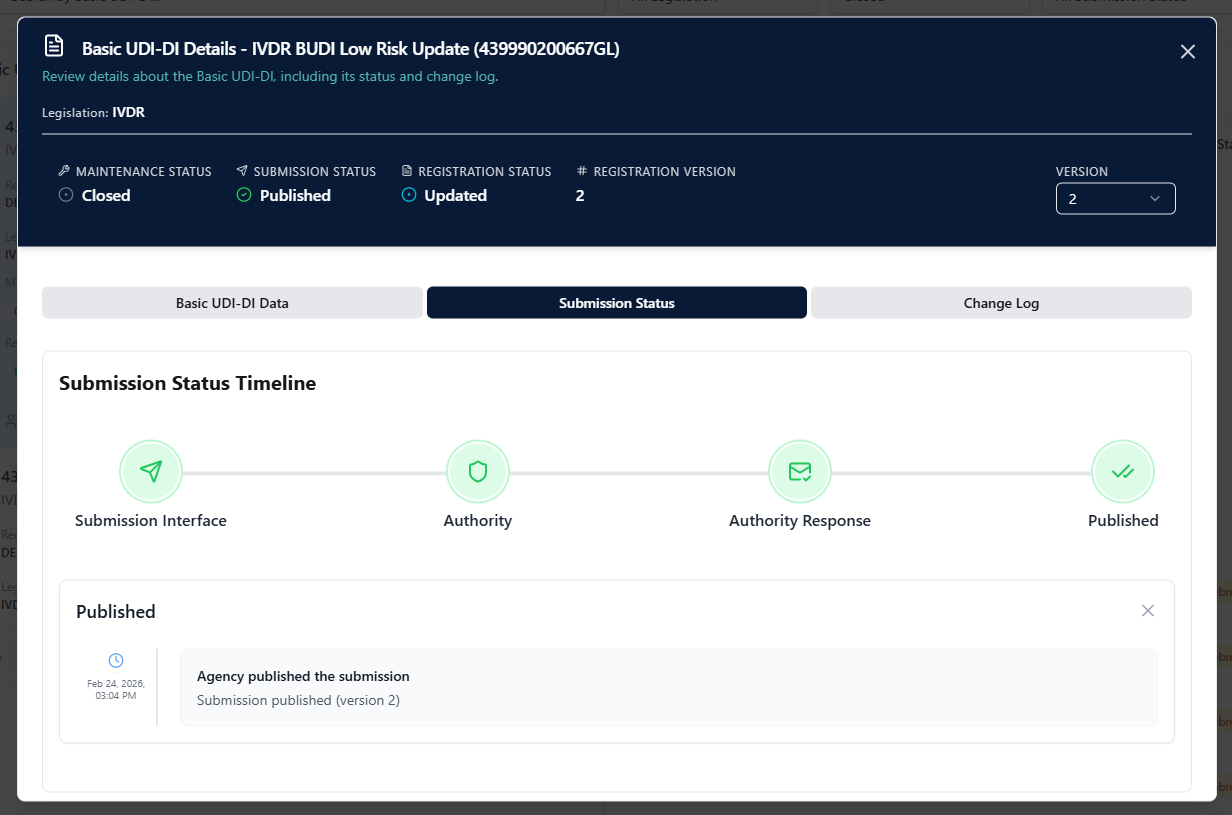
The timeline is divided into four stages:
| Stage | Meaning |
| ------------------------ | ------------------------------------------------------------------------------------------------------------------ |
| **Submission Interface** | The submission is being processed inside **UDI Hub** (payload generation, orchestration, submission to authority). |
| **Authority** | The submission was technically handed over to the authority system (e.g., EUDAMED). |
| **Authority Response** | The authority returned a response indicating **success** or **error** (including details). |
| **Published** | The item was successfully **published** by the authority and is considered finalized for that version. |
### Successful flow example
In a successful case, all stages are completed and **Published** is reached.
### Error / rejection example
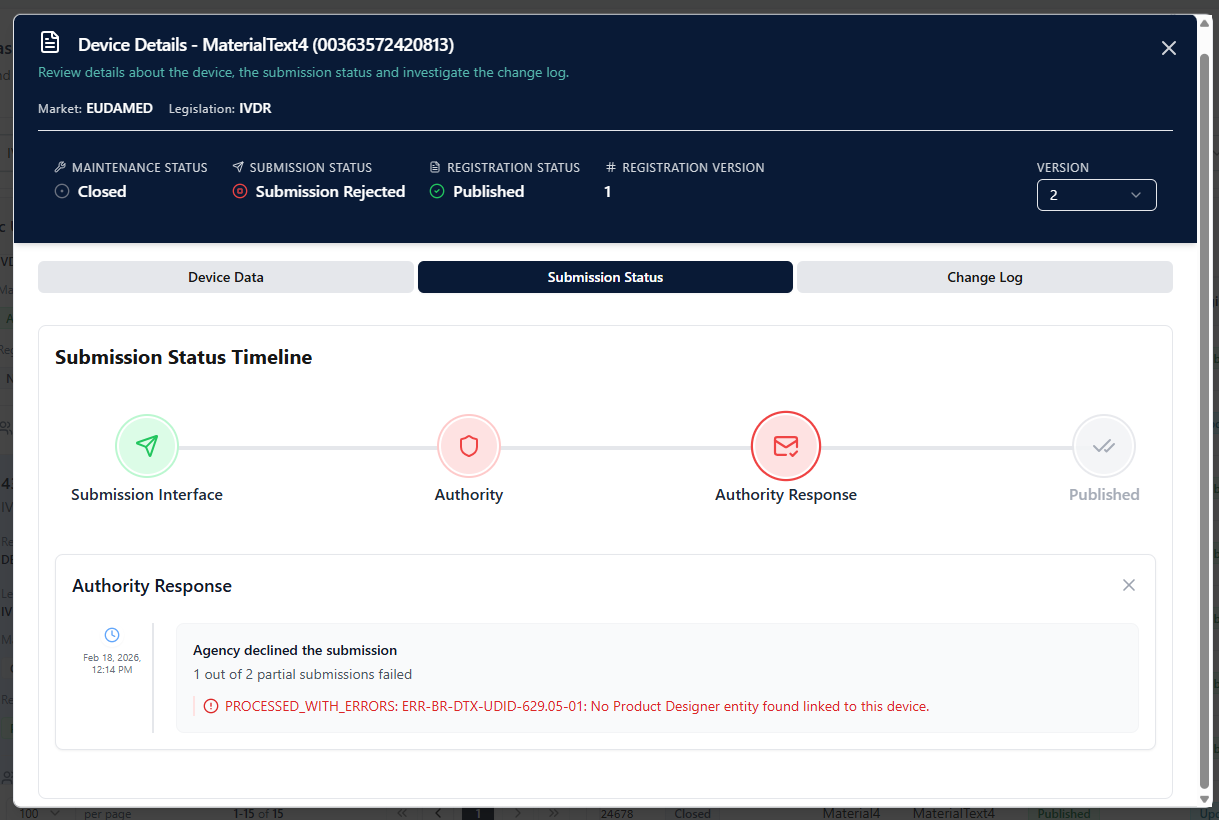
If the authority rejects the submission, the timeline stops at **Authority Response** and shows the error details provided by the authority.
***
## How to read the timeline
The timeline is divided into four stages:
| Stage | Meaning |
| ------------------------ | ------------------------------------------------------------------------------------------------------------------ |
| **Submission Interface** | The submission is being processed inside **UDI Hub** (payload generation, orchestration, submission to authority). |
| **Authority** | The submission was technically handed over to the authority system (e.g., EUDAMED). |
| **Authority Response** | The authority returned a response indicating **success** or **error** (including details). |
| **Published** | The item was successfully **published** by the authority and is considered finalized for that version. |
### Successful flow example
In a successful case, all stages are completed and **Published** is reached.
### Error / rejection example
If the authority rejects the submission, the timeline stops at **Authority Response** and shows the error details provided by the authority.
 ***
Use the Version selector to compare what changed between submissions (e.g., Version 1 initial registration vs. Version 2 update) and to identify exactly where a submission failed (UDI Hub processing vs. authority response).
***
Use the Version selector to compare what changed between submissions (e.g., Version 1 initial registration vs. Version 2 update) and to identify exactly where a submission failed (UDI Hub processing vs. authority response).