> ## Documentation Index
> Fetch the complete documentation index at: https://docs.udiconnect.io/llms.txt
> Use this file to discover all available pages before exploring further.
# Home Side
> Get an overview of your UDI Hub workspace – from key tasks and submission status to global compliance insights.
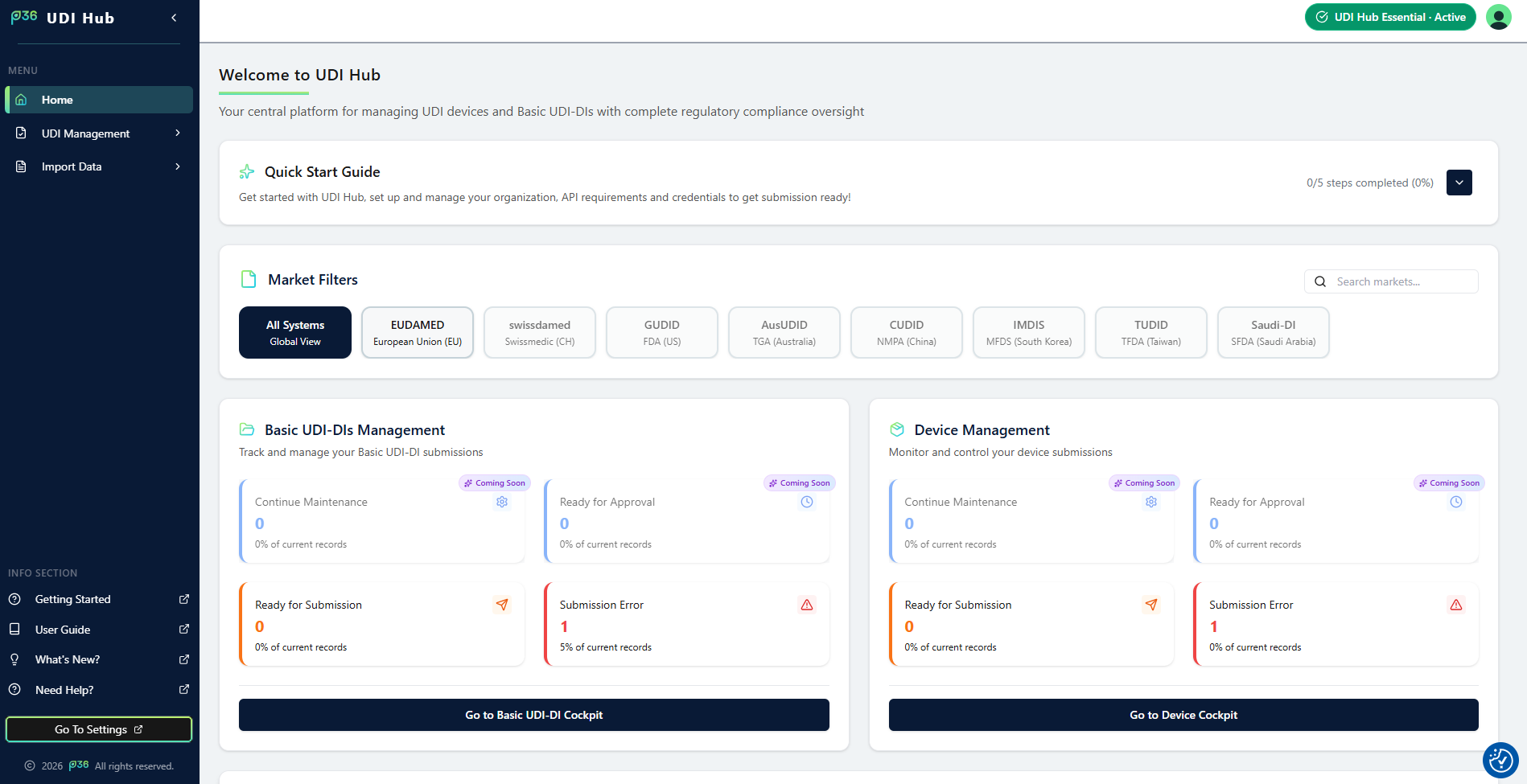 The **Home Side** in **UDI Hub** provides a central entry point into your compliance workspace.\
It gives you instant access to your most important actions, system KPIs, and regulatory insights — all from one dashboard.
***
## Quick Start Guide
Get started quickly by following the embedded **Quick Start Guide** section.\
Here you can easily revisit onboarding steps, manage your organization, and set up your environment for submissions.
The **Home Side** in **UDI Hub** provides a central entry point into your compliance workspace.\
It gives you instant access to your most important actions, system KPIs, and regulatory insights — all from one dashboard.
***
## Quick Start Guide
Get started quickly by following the embedded **Quick Start Guide** section.\
Here you can easily revisit onboarding steps, manage your organization, and set up your environment for submissions.
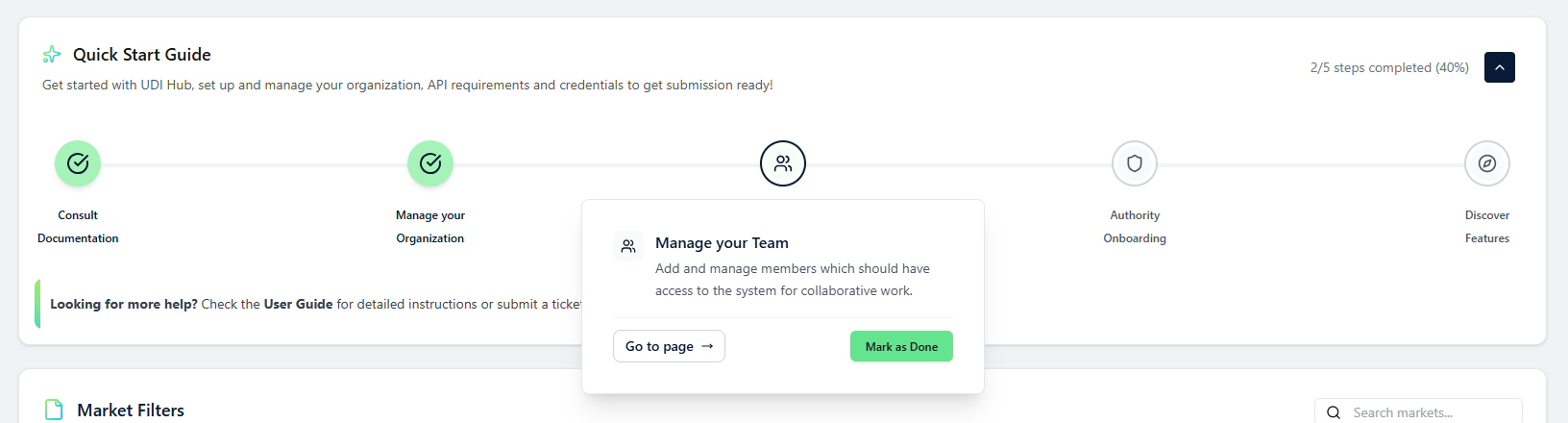 Access a guided overview of all essential setup steps in UDI Hub.
***
## KPI Overview & To‑Do Cards
Stay on top of your operational priorities with intuitive KPI‑Cards displayed directly on the Home Side.
* **Ready for Submission** — See how many validated data records are prepared and ready to be submitted to the authority.
* **Submission Errors** — Instantly identify submissions that require attention.
These KPIs help you prioritize tasks and maintain a clear overview of your organization’s UDI status.
***
## Compliance Map
Visualize the current global state of UDI implementation with the interactive **Compliance Map**.\
It highlights countries where UDI regulations are already **mandatory**, **active**, or **under discussion** – giving you an instant picture of market coverage and upcoming regulatory changes.
Access a guided overview of all essential setup steps in UDI Hub.
***
## KPI Overview & To‑Do Cards
Stay on top of your operational priorities with intuitive KPI‑Cards displayed directly on the Home Side.
* **Ready for Submission** — See how many validated data records are prepared and ready to be submitted to the authority.
* **Submission Errors** — Instantly identify submissions that require attention.
These KPIs help you prioritize tasks and maintain a clear overview of your organization’s UDI status.
***
## Compliance Map
Visualize the current global state of UDI implementation with the interactive **Compliance Map**.\
It highlights countries where UDI regulations are already **mandatory**, **active**, or **under discussion** – giving you an instant picture of market coverage and upcoming regulatory changes.
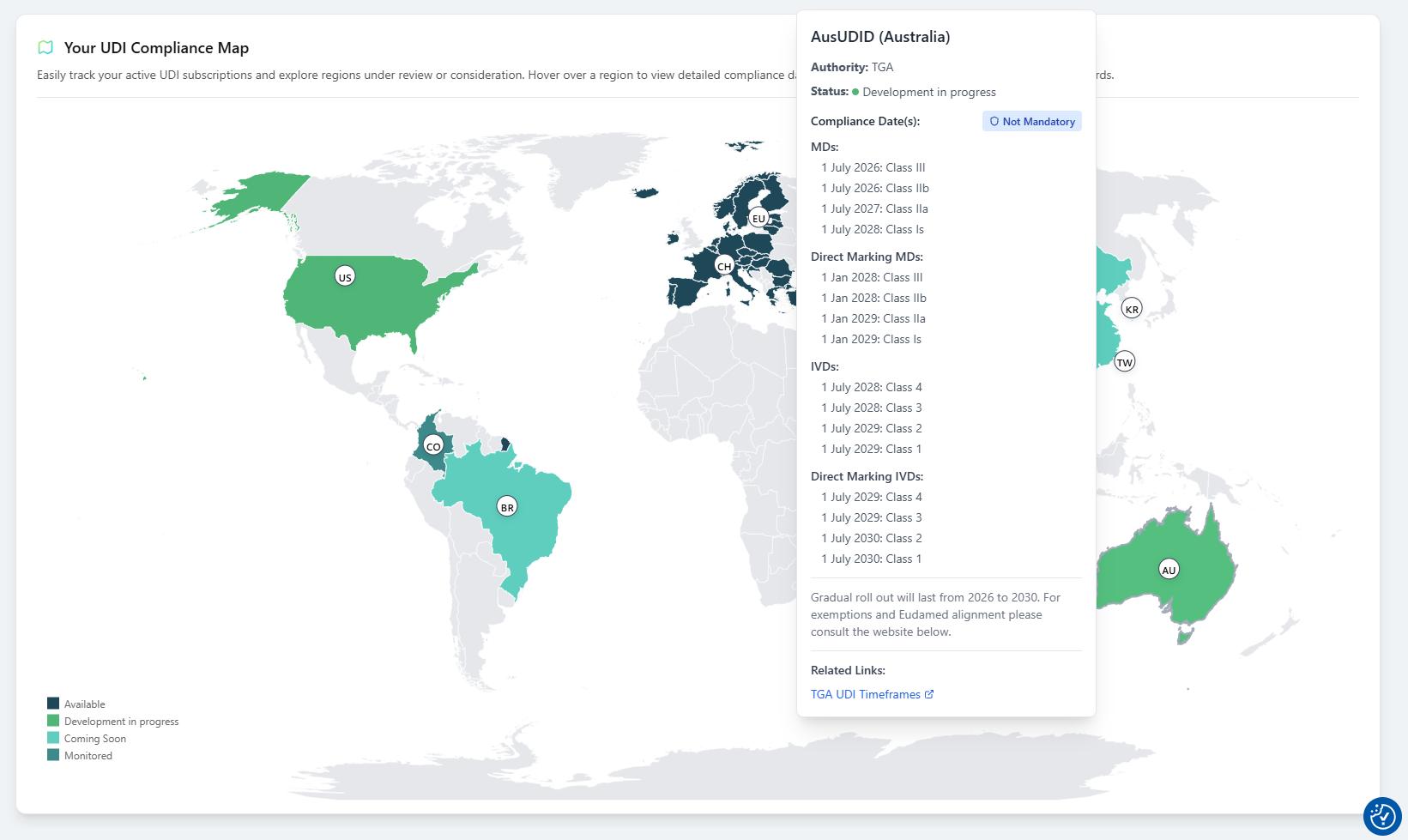 > **Tip:** Use the Compliance Map to strategically plan ahead for new authority integrations and market expansions.
***
The Home Side brings your most essential information together – guiding your daily actions and helping you stay organized, efficient, and compliant within UDI Hub.
> **Tip:** Use the Compliance Map to strategically plan ahead for new authority integrations and market expansions.
***
The Home Side brings your most essential information together – guiding your daily actions and helping you stay organized, efficient, and compliant within UDI Hub.