> ## Documentation Index
> Fetch the complete documentation index at: https://docs.udiconnect.io/llms.txt
> Use this file to discover all available pages before exploring further.
# Start Free Trial
> Follow these steps to start your 14-day free trial for UDI Connect.
* Go to the website [www.udihub.io](https://www.udihub.io).
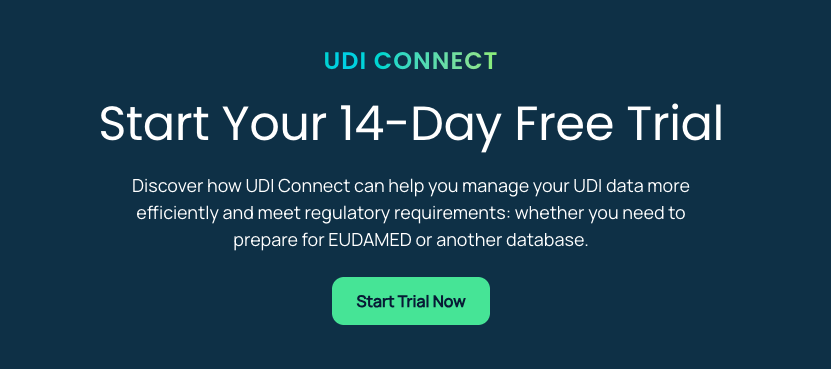
* On the homepage, there are several options to begin your free trial. Click on **Start Trial Now** or **Get Started** to begin.
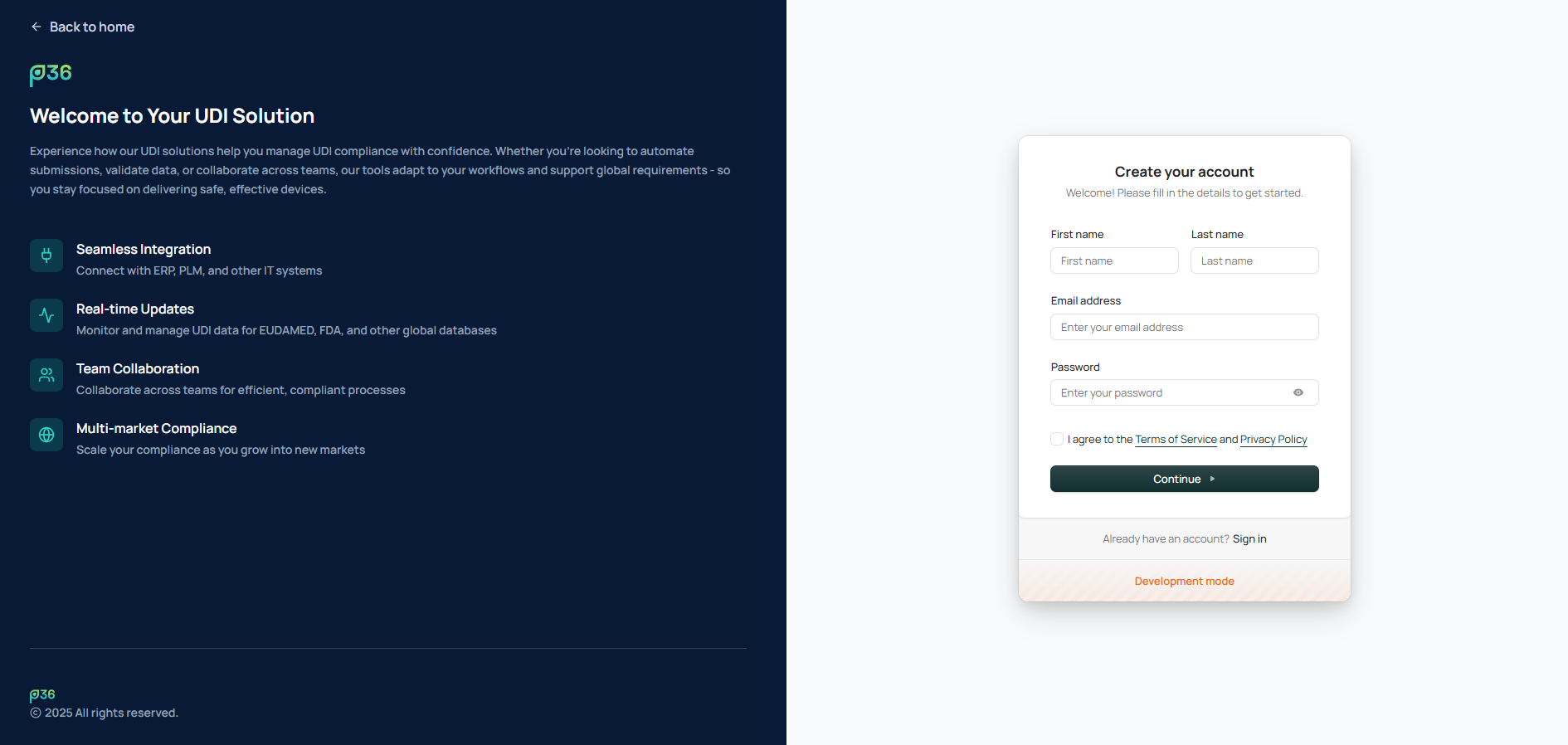
 * You will be redirected to the UDI Solution sign-up page.
* Enter the required details:
* **First Name**
* **Last Name**
* **Email Address**
* **Password**
* Accept the **Terms of Service** and **Privacy Policy**, then click **Continue**.
* You will be redirected to the UDI Solution sign-up page.
* Enter the required details:
* **First Name**
* **Last Name**
* **Email Address**
* **Password**
* Accept the **Terms of Service** and **Privacy Policy**, then click **Continue**.
 * You will receive a verification code via email.
* Enter the code in the verification field and click **Continue** to proceed.
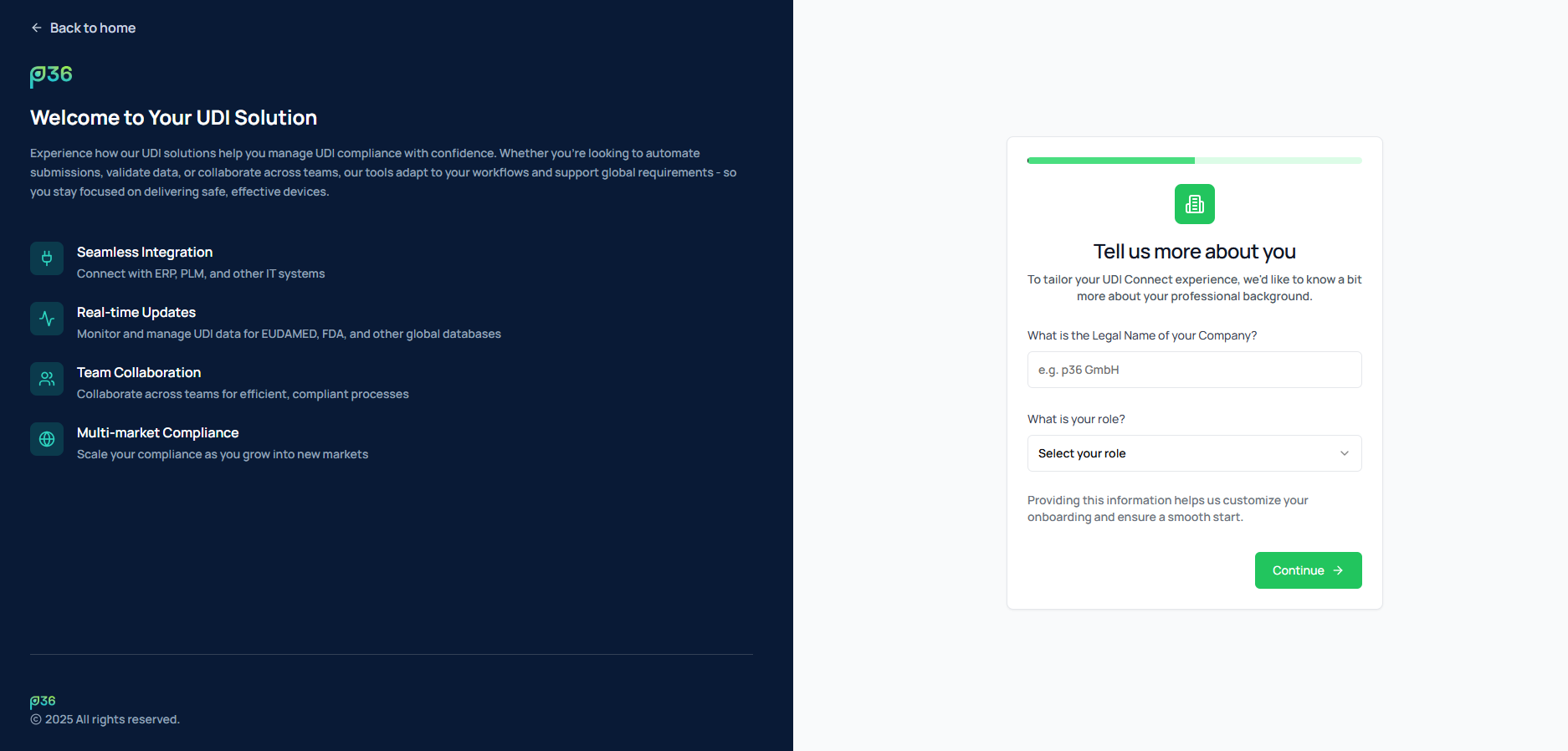
* Provide the **Legal Company Name**.
* Select your **Role** (e.g., Quality Manager, Regulatory Specialist, IT Admin ...).
* Click **Continue** to move to the next setup step.
* You will receive a verification code via email.
* Enter the code in the verification field and click **Continue** to proceed.
* Provide the **Legal Company Name**.
* Select your **Role** (e.g., Quality Manager, Regulatory Specialist, IT Admin ...).
* Click **Continue** to move to the next setup step.
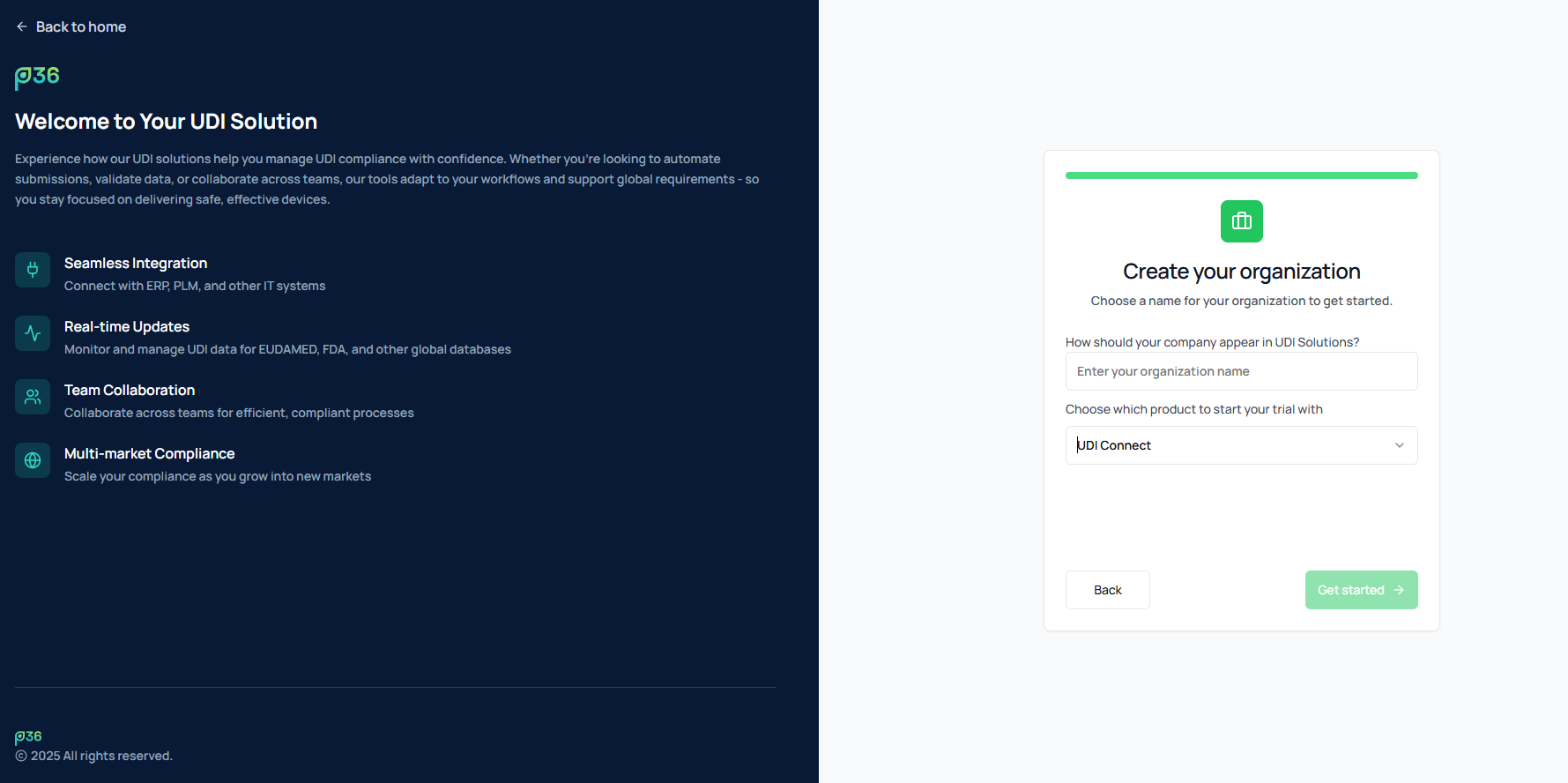
 * Enter your **Organization Name** — this name will be used within the solution.
* The **Product** is preselected based on where you started the trial (e.g., **UDI Connect**).
* Optionally, you can switch to another product using the dropdown menu.
* Click **Get started** to continue.
* Enter your **Organization Name** — this name will be used within the solution.
* The **Product** is preselected based on where you started the trial (e.g., **UDI Connect**).
* Optionally, you can switch to another product using the dropdown menu.
* Click **Get started** to continue.
 * Wait for the initialization process to finish.
* The system automatically provisions your **company**, **organization**, and **account** in the background.
* After provisioning, you will be automatically redirected to your **UDI Connect dashboard** of the Production Environment.
* You can start exploring the system, access the **Quick Start Guide**, or configure your settings.
* Wait for the initialization process to finish.
* The system automatically provisions your **company**, **organization**, and **account** in the background.
* After provisioning, you will be automatically redirected to your **UDI Connect dashboard** of the Production Environment.
* You can start exploring the system, access the **Quick Start Guide**, or configure your settings.
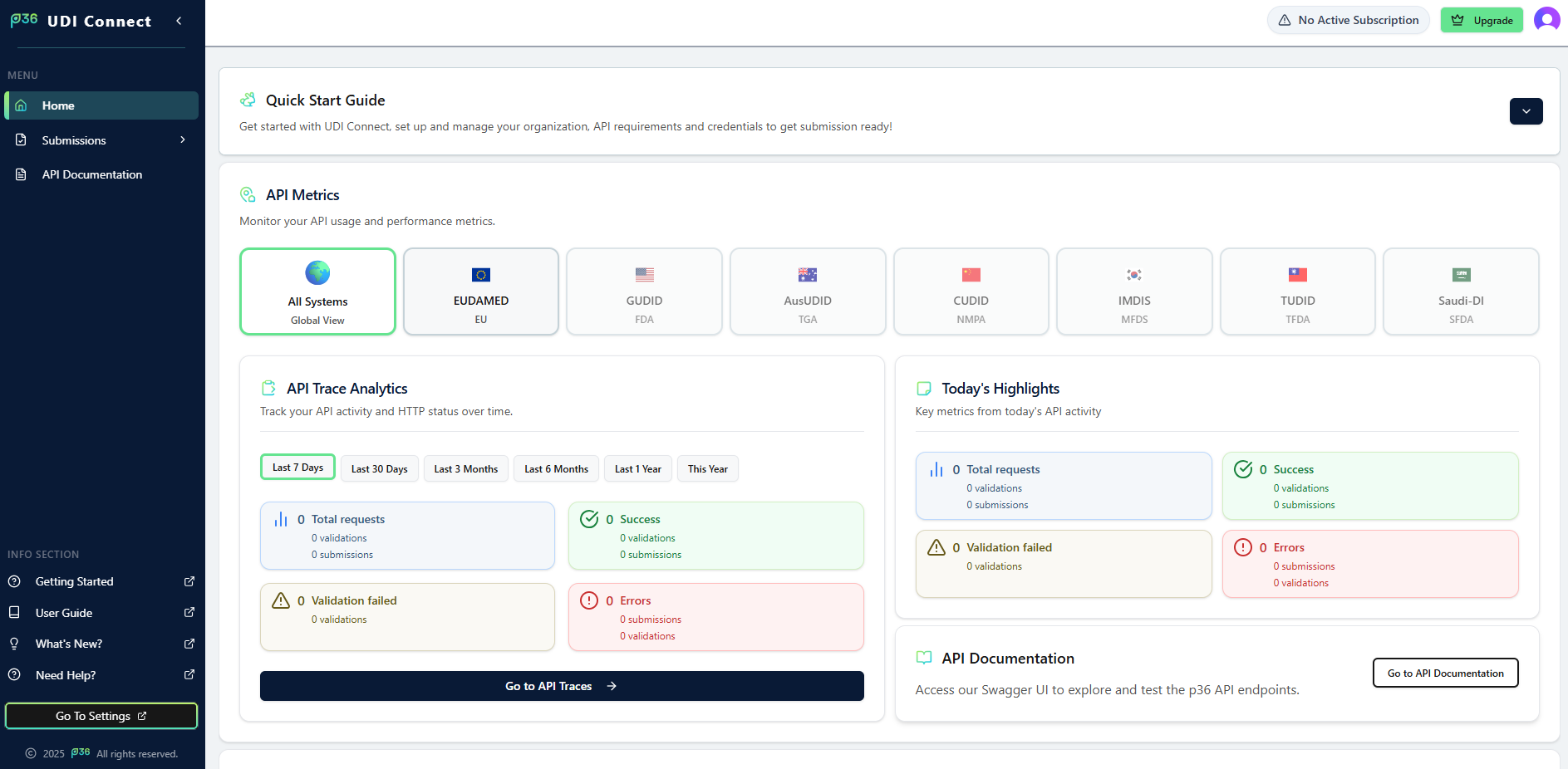 You can use your free trial for 14 days. Start by exploring the Quick Start Guide and configuring your company and organization settings within UDI Connect.