> ## Documentation Index
> Fetch the complete documentation index at: https://docs.udiconnect.io/llms.txt
> Use this file to discover all available pages before exploring further.
# EUDAMED Test Submission
> Automated test submission process for verifying EUDAMED connectivity using standard payloads.
## Overview
The **EUDAMED Test Submission** automates the submission test process to simplify onboarding.\
Once the key data — **SRN**, **Role**, **Regulatory Actor**, and **Security Token** — are available, the system can execute a background test submission using a predefined payload.\
This minimizes manual effort and ensures that the required **Proof of Testing** is automatically generated.
***
* Start by navigating to the **EUDAMED Test Submission** section.
* If no economic operators are available yet, click **Add Economic Operator** to create a new entry.
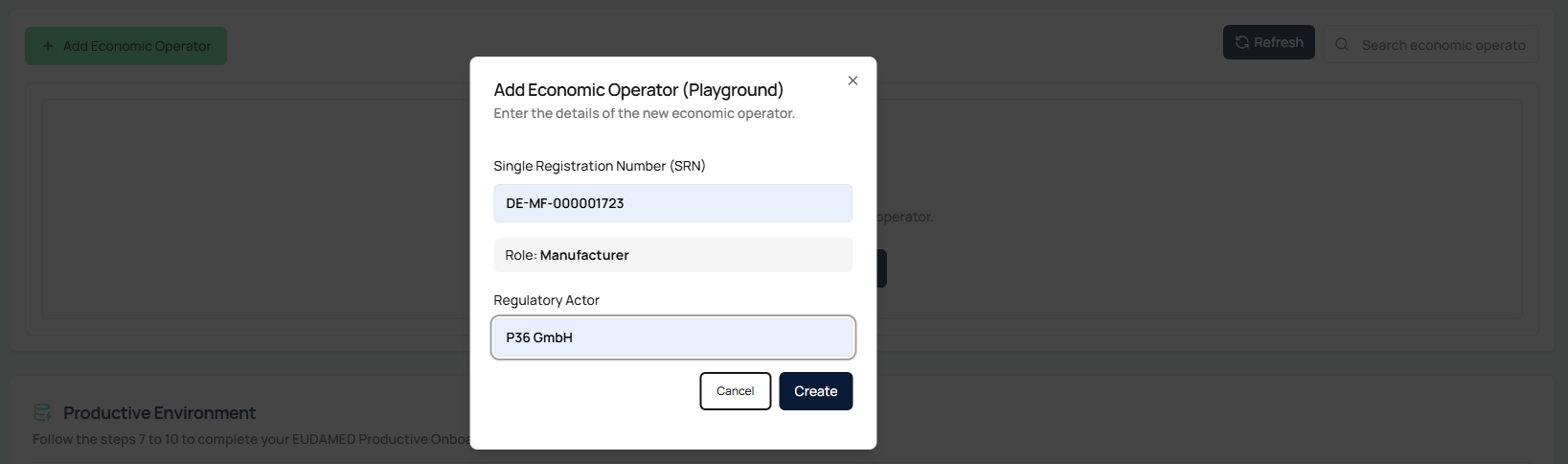
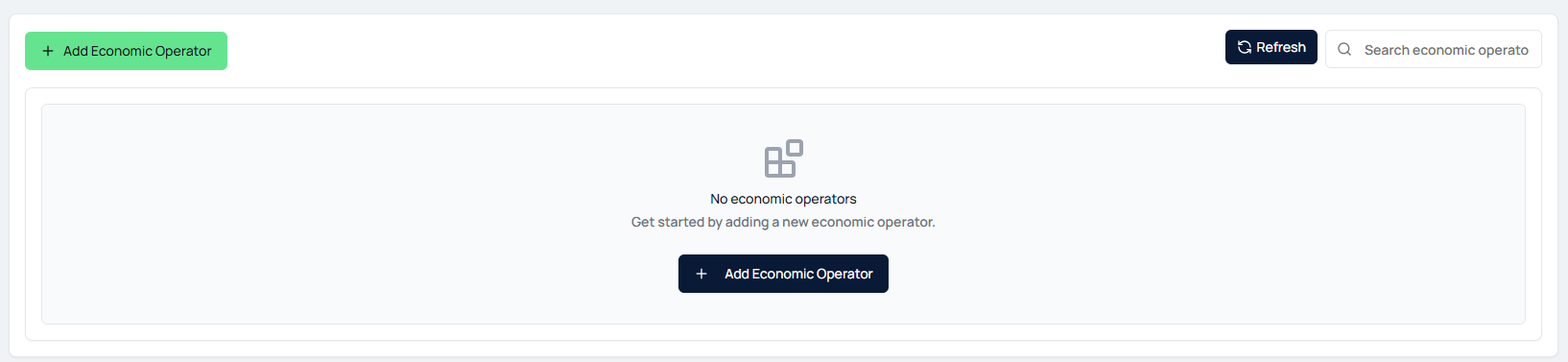 * In the pop-up window, provide the following:
* **Single Registration Number (SRN)**
* **Role** (e.g., Manufacturer, System and Procedure Pack Producer)
* **Regulatory Actor Name**
* Ensure that all information matches the data registered in EUDAMED.
* In the pop-up window, provide the following:
* **Single Registration Number (SRN)**
* **Role** (e.g., Manufacturer, System and Procedure Pack Producer)
* **Regulatory Actor Name**
* Ensure that all information matches the data registered in EUDAMED.
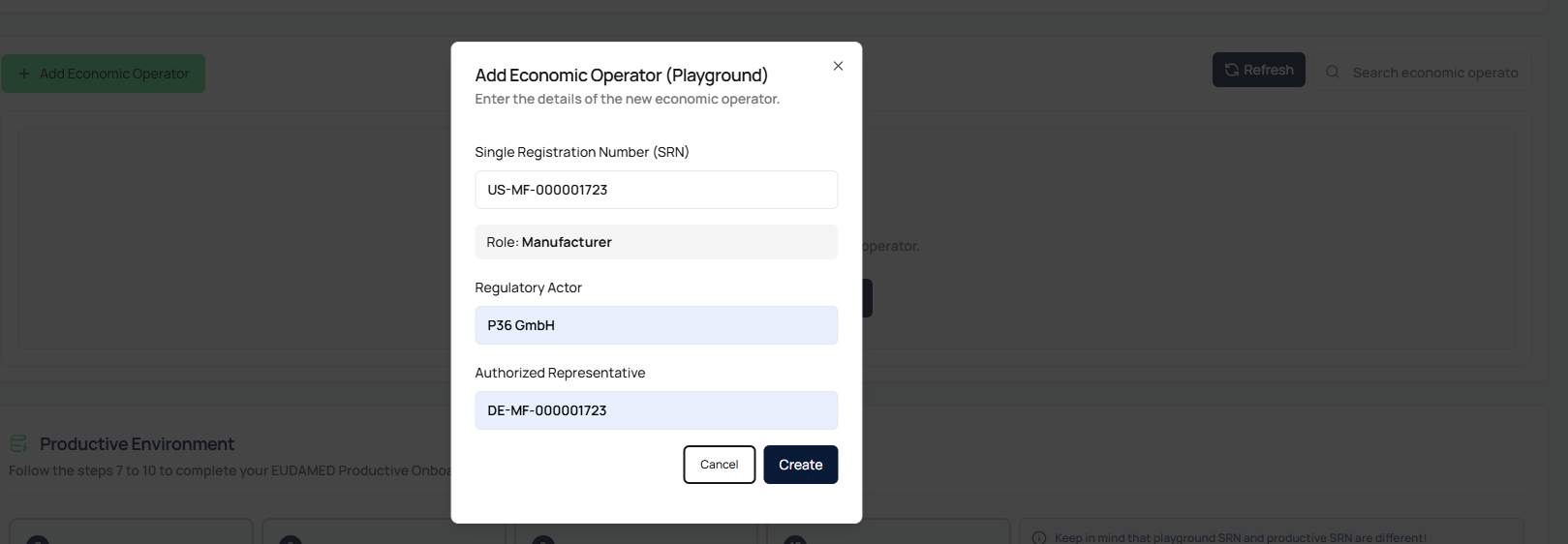
 * When adding an actor **outside the EU**, an additional field for **Authorized Representative** will appear automatically.
* Enter the SRN of the EU-based Authorized Representative.
* This information is mandatory for non-EU operators.
* When adding an actor **outside the EU**, an additional field for **Authorized Representative** will appear automatically.
* Enter the SRN of the EU-based Authorized Representative.
* This information is mandatory for non-EU operators.
 * After successfully adding the actor, a table entry will appear.
* Paste the **EUDAMED Playground Security Token** for the corresponding SRN into the designated field.
* The token is **securely stored in the background** and **not visible** afterwards.
* After successfully adding the actor, a table entry will appear.
* Paste the **EUDAMED Playground Security Token** for the corresponding SRN into the designated field.
* The token is **securely stored in the background** and **not visible** afterwards.
 * Once the token is entered, the **Test Submission** button becomes active.
* Click the button to start the automatic submission.
* The button will display:
* **Submission in Progress** while running
* **Successful** (green) once the process completes successfully
* Once the token is entered, the **Test Submission** button becomes active.
* Click the button to start the automatic submission.
* The button will display:
* **Submission in Progress** while running
* **Successful** (green) once the process completes successfully
 * After a successful test submission, the system will automatically generate a **Proof of Testing** document.
* You can download this document directly from the interface.
* It serves as a prerequisite for configuring the access point in the **Productive EUDAMED environment**.
* After a successful test submission, the system will automatically generate a **Proof of Testing** document.
* You can download this document directly from the interface.
* It serves as a prerequisite for configuring the access point in the **Productive EUDAMED environment**.
 * If a submission fails, you can correct the **SRN** or **Security Token** in the Actions menu.
* After updating the details, restart the test submission process.
* If a submission fails, you can correct the **SRN** or **Security Token** in the Actions menu.
* After updating the details, restart the test submission process.